WhatsApp QR marketing works when a scan starts a useful, expected conversation. This guide explains how to plan, design, test, publish, measure, and maintain the experience in menus, tables, windows, receipts, and packaging.
Explore useful GetQRly tools: QR generator, WhatsApp QR, WiFi QR, Google review QR, business card QR, restaurant menu QR, and static vs dynamic QR codes.
Introduction
WhatsApp QR Codes for Restaurant Bookings and Orders matters because a QR code is never just a square image. For restaurant managers and hospitality teams, it is a small doorway into a larger experience: the scan, the destination, the promised action, and the follow-up that happens afterward.
This guide focuses on supporting reservations, takeaway questions, and catering leads in menus, tables, windows, receipts, and packaging. You will see how to plan the code before design begins, how to make the destination useful on mobile, how to test the final artwork, and how to measure results without getting distracted by scan counts alone.
Examples and practical use cases
For example, a catering flyer that starts a quote request should not send people to a generic homepage unless that homepage immediately supports the promised action. A better version uses direct wording, a focused destination, and a result that can be reviewed later.
Another useful pattern is to create separate codes for separate moments. A code used on storefronts, product packaging, receipts, advertisements, event booths, and service vehicles can point to different destinations while keeping the user-facing message consistent. This makes reporting clearer and helps teams improve the placement that is underperforming.
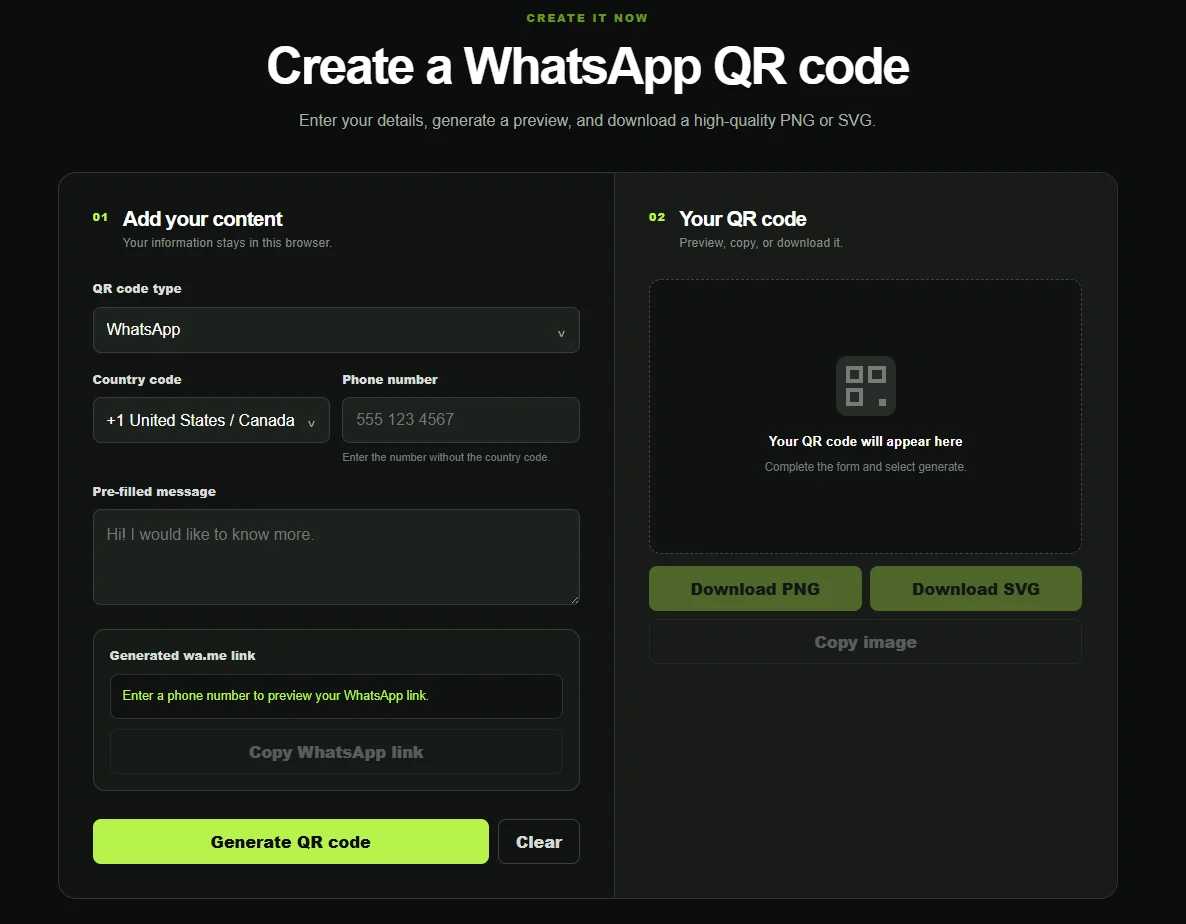
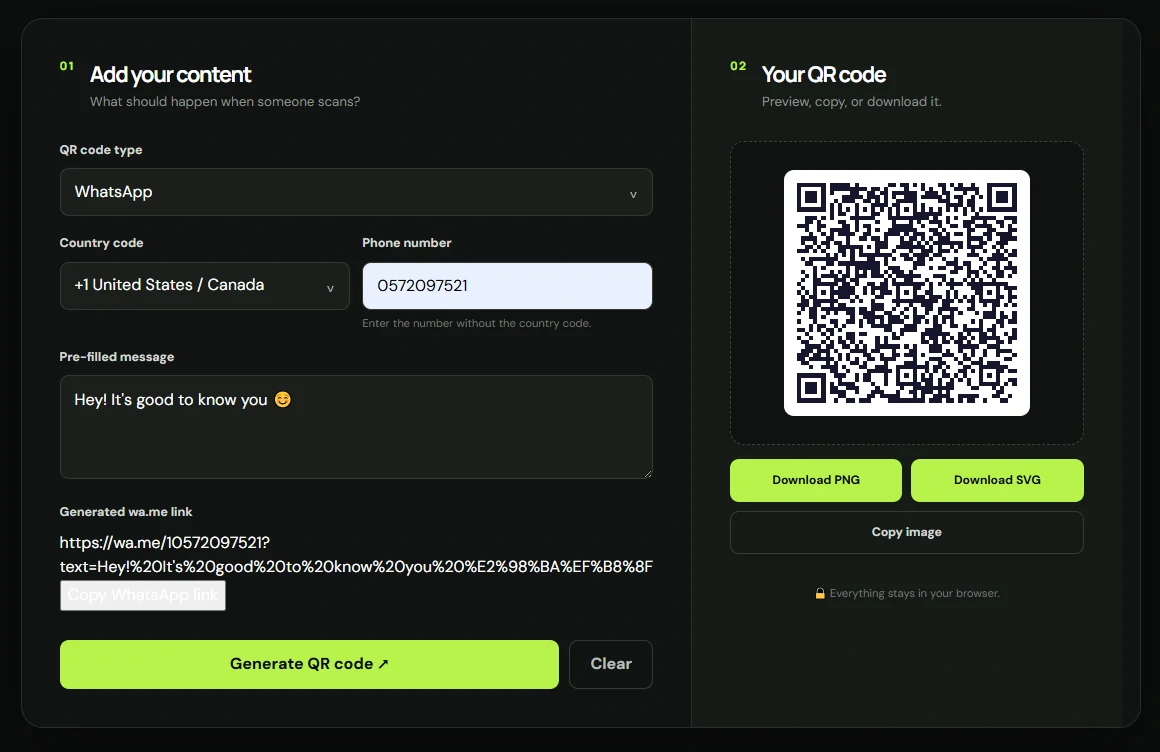
GetQRly gives you a practical starting point with the general QR generator, WhatsApp QR generator, WiFi QR generator, business card QR generator, restaurant menu QR generator, Google review QR generator and dynamic QR management for campaigns that need editable links, expiry dates, and analytics.
Comparison table: static, dynamic, and managed choices
The right setup depends on how long the QR code will live, how often the destination may change, and how much reporting the team needs. Use this table as a quick decision guide before creating artwork.
| Planning choice | Lightweight approach | Managed approach | Best fit |
|---|---|---|---|
| Destination | Encode a permanent URL directly in a static QR code. | Use a dynamic redirect that can be edited later. | Choose managed redirects when menus, tables, windows, receipts, and packaging may change after printing. |
| Analytics | Review website analytics after visitors land on the page. | Track scans, recent activity, and campaign performance in the dashboard. | Use scan history when completed reservations and qualified inquiries needs regular review. |
| Maintenance | Replace the printed code when the encoded information changes. | Keep the same printed code and update the destination behind it. | Useful for storefronts, product packaging, receipts, advertisements, event booths, and service vehicles. |
| User experience | Works well for stable, simple actions. | Adds flexibility for campaigns, expiry dates, and testing. | Pick the route that best helps users separate booking, order, and event inquiries clearly. |
Start with the purpose, not the QR image
WhatsApp QR marketing works when a scan starts a useful, expected conversation. For restaurant managers and hospitality teams, the useful starting point is supporting reservations, takeaway questions, and catering leads. Write down the action a person should take, what they receive in return, and why scanning is easier than typing, searching, or asking a staff member. This prevents a common mistake: adding a code because it looks modern while leaving the destination and user journey undefined.
In menus, tables, windows, receipts, and packaging, context shapes behavior. A person may be standing, moving, holding another item, using weak mobile data, or deciding quickly whether the code is trustworthy. The nearby headline should explain the value in plain language. The destination should then continue that promise immediately. The strategic objective is to separate booking, order, and event inquiries clearly, not merely to create a pattern that can technically be scanned.
Use a simple campaign brief before design begins. Record the audience, placement, owner, destination, intended action, publication date, review date, and fallback. A practical example is a catering flyer that starts a quote request. That example has a recognizable user, a reason to scan, and an outcome that can be checked. This short planning step makes later design and reporting decisions much easier.
Build the destination for mobile visitors
Most QR traffic arrives on a phone, often with limited attention. The destination must load quickly, use readable text, and place the primary action near the top. Remove large introductions, intrusive pop-ups, tiny controls, and navigation that forces the visitor to search for the promised content. If a form is required, ask only for information needed to complete the immediate task.
Maintain message continuity between the printed prompt and the page. If the code promises contact details, show contact details. If it promises a menu, open the menu rather than the restaurant homepage. If it promises registration, lead with the registration form and essential event facts. Unexpected destinations reduce trust and make even a perfectly rendered QR code feel broken.
Use HTTPS, test redirects, and choose a URL that your organization controls when possible. Static QR codes preserve the exact encoded address, so changing a file name or removing a page can invalidate printed materials. If the destination is likely to change, plan a stable redirect or use a properly managed dynamic QR code. GetQRly users can begin with the WhatsApp QR code generator and should decide whether a static or dynamic workflow fits the expected lifespan.
Design for scanning and confidence
Reliable QR design depends on contrast, shape, margin, and size. Use a dark code on a light background and preserve a clear quiet zone around every side. Do not stretch the image, crop its edges, cover the corner finder patterns, or place it over a busy photograph. Brand styling should remain secondary to machine readability.
Size must reflect scanning distance and print quality. A code on a card is scanned close up, while a poster or display may be scanned from several steps away. Low-quality printing, curved packaging, glossy lamination, folds, scratches, and dim lighting can all reduce performance. Export SVG for professional artwork that may be resized, and use a high-resolution PNG for ordinary documents and digital placements.
Trust is also visual. Add a short instruction, identify the organization, and describe the destination. People are more comfortable scanning when they know what should happen. Keep the design around the code uncluttered and avoid placing several unlabeled codes together. In storefronts, product packaging, receipts, advertisements, event booths, and service vehicles, a direct call to action is more useful than the generic phrase “Scan me.”
Write a call to action that earns the scan
A good call to action answers two questions: what will open, and why is it worth opening? Specific prompts such as “Scan to save my contact,” “Scan for today's menu,” or “Scan to request a viewing” set a clear expectation. The wording should match the audience and the moment rather than using exaggerated promises that the destination cannot fulfill.
Keep supporting copy concise. The QR code is usually encountered within a larger design, so nearby text should provide only the essential context, reassurance, and alternative. If time, eligibility, cost, data use, or app requirements matter, disclose them before the scan. Surprises create abandonment and complaints.
For supporting reservations, takeaway questions, and catering leads, consider the questions a cautious user will ask. Is the link official? Will anything be sent automatically? Is a login required? Can the action be completed later? Clear wording can answer these concerns. It also helps internal teams use the code consistently because everyone understands the intended response.
Create your QR code with GetQRly
Generate static and dynamic QR codes, download PNG/SVG files, and track scans from one dashboard.
Test the complete experience before launch
Testing should use the final artwork, not only a large preview on a computer. Print a proof or display the design at its intended dimensions. Scan with different iPhone and Android models, from realistic angles and distances. Test bright and dim conditions, mobile data and WiFi, and any surface or finish that will be used in production.
Verify more than the first page load. Confirm the encoded information, redirects, contact fields, forms, buttons, downloads, language selection, and confirmation message. Complete the intended action from beginning to end. Ask someone who did not build the campaign to test it; familiarity can hide confusing instructions and assumptions.
Create a launch checklist and name the person responsible for approval. Include spelling, destination ownership, privacy language, accessibility, analytics configuration, expiry dates, and the fallback path. For a catering flyer that starts a quote request, the test should reproduce what the real user will see. Record issues and retest after every correction rather than assuming a design change is harmless.
Choose placement based on the user journey
Place the code where the audience has a reason, enough time, and a safe opportunity to scan. Avoid moving vehicles, inaccessible heights, crowded edges, and locations with poor connectivity unless the content can tolerate delay. A code seen before the user needs it may be forgotten; one shown after the moment has passed may feel irrelevant.
Physical placement also determines maintenance. Public stickers can be damaged or covered. Table displays need cleaning. Outdoor signs fade. Packaging remains in circulation long after a campaign changes. Keep a placement inventory with photographs or location notes so teams can inspect, replace, or remove codes efficiently.
When several actions are useful, resist putting several competing codes in one small area. Prioritize the action that matters at that moment, then provide secondary links on the destination. This creates a simpler visual hierarchy and a cleaner measurement model across storefronts, product packaging, receipts, advertisements, event booths, and service vehicles.
Measure outcomes, not scans alone
Scan count is an activity signal, not a complete result. A campaign may produce many scans but few useful actions because the promise is unclear or the landing page is weak. Connect scan data to completed reservations and qualified inquiries. Compare the number of people who open the destination with the number who complete the intended next step.
Use separate destinations or campaign parameters when placements need to be compared. A poster, package, and receipt can each point to a distinct trackable URL while presenting the same content. Keep naming conventions documented so reports remain understandable. Collect only the data needed for legitimate analysis and explain tracking where privacy rules or user expectations require it.
Review performance on a schedule and combine numbers with qualitative feedback. Questions from staff and users often reveal problems analytics cannot show, such as glare, unclear labels, inaccessible pages, or an outdated destination. Useful reporting for conversation starts, qualified inquiries, response time, and completed bookings or sales should lead to a decision: keep, revise, relocate, or retire the code.
Avoid common operational mistakes
The most expensive mistakes are often operational rather than visual: encoding the wrong URL, using a temporary file address, printing before approval, losing access to the destination, or failing to assign an owner. A static code can continue circulating for years, so a short-lived landing page creates a long-lived failure.
Another mistake is treating the QR code as the entire experience. Slow pages, unclear forms, unmonitored inboxes, outdated menus, and unavailable staff cannot be repaired by a better pattern. The digital and operational teams should review the workflow together. Someone must be responsible for the destination, response process, and periodic testing.
Finally, avoid excluding people. Provide a visible alternative such as a short URL, telephone number, printed version, or staff-assisted path. Accessibility is not only a compliance task; it protects the campaign when a camera, device, connection, or personal preference makes scanning impractical.
Use a repeatable launch and maintenance plan
Before launch, document the final encoded value, artwork version, placements, destination owner, analytics owner, and review date. Store editable source files and approved exports together. If different locations or teams use different codes, give each version a clear name and avoid distributing files through informal channels where old artwork can be reused.
After launch, inspect early behavior quickly. Low activity may indicate weak visibility or an unconvincing prompt. High scans with low completion may indicate a destination problem. Support questions may show that the workflow needs clearer instructions. Make small, testable improvements and preserve a record of what changed.
Set a recurring review based on risk and lifespan. Permanent signs deserve scheduled checks; short campaigns need an end date and removal plan. The objective remains to separate booking, order, and event inquiries clearly. A maintained QR experience can remain useful for a long time, while an abandoned one can quietly damage trust every time someone tries to use it.
Conclusion
WhatsApp QR Codes for Restaurant Bookings and Orders works best when the QR code has one job, one clear promise, and one maintained destination. The image itself can be generated in seconds, but the real value comes from the thinking around it: placement, wording, testing, accessibility, and measurement.
Use this page as a checklist before publishing. Start with the WhatsApp QR code generator, test the complete mobile journey, and revisit performance after launch. If the destination may change or you need scan history, a dynamic QR code gives you more control without reprinting the code.
Rate it after reading so we can keep improving GetQRly guides.