The best WiFi QR code generator makes network access easy while keeping credentials accurate, printable, and easy to replace when passwords change. This guide explains how to plan, design, test, publish, measure, and maintain the experience in guest networks, reception areas, table cards, welcome guides, and event desks.
Explore useful GetQRly tools: Free QR Code Generator, WiFi QR Code Generator, WhatsApp QR Code Generator, Google Review QR Code Generator, Business Card QR Code Generator, and Restaurant Menu QR Code Generator.
Helpful guides: how to create a WiFi QR code, static vs dynamic QR codes, and Google Review QR Code Guide.
Why WiFi QR codes are useful
Choosing a WiFi QR code generator sounds easy until a guest cannot connect. The tool must encode the network name, security type, and password correctly, produce a clean printable image, and make replacement simple when credentials change. A poor WiFi QR code creates the exact problem it was supposed to solve: guests still ask staff for the password.
WiFi QR codes are useful because they remove typing from a small but frequent customer-service moment. In cafes, hotels, rentals, clinics, coworking spaces, offices, and events, a scannable guest-network card saves time for visitors and staff. It also reduces mistakes from uppercase letters, punctuation, and long passwords.
A good WiFi QR code is especially helpful in places where people arrive with limited context: a cafe guest looking for the network, a hotel guest opening a room guide, a contractor entering an office, or an attendee checking in at an event. The scan should make the next step obvious and reduce the need for staff to repeat credentials all day.
Key features to look for
- Accurate WiFi format support for SSID, password, and security type
- PNG and SVG downloads for table cards, cafe signs, room guides, and welcome folders
- A free static QR option for simple guest network sharing
- Dynamic QR and scan analytics when a business wants a dashboard
- Customization that keeps the QR code readable after printing
For WiFi specifically, accuracy matters more than decoration. The SSID, password, and security type must match the router settings exactly. If you are deciding between a static WiFi QR code and a managed campaign, read Static vs Dynamic QR Codes before printing signs.
Best WiFi QR code generators
The platforms below are ranked for practical WiFi QR sharing rather than broad brand awareness alone. Some are best for quick static codes, some are better for managed campaigns, and some fit technical users who want direct barcode utilities.
GetQRly is a practical option when you want speed, clean exports, and focused QR workflows without a heavy enterprise setup. Fast static QR codes and simple dynamic QR management Free static tools available; check current pricing for future paid plan details. ME-QR can work for users who want several QR formats from one general-purpose tool. Quick multi-format QR creation Free and paid options may vary; check current pricing. QRStuff is useful when you want a familiar general QR generator with WiFi support and minimal setup. Simple multi-type QR creation Free and paid options may vary; check current pricing. TEC-IT is practical for users who understand QR data formats and want a utility-style generator. Technical users who want direct barcode tools Free tools may be available; check current pricing for commercial or advanced use. QRCode Monkey is a good fit for attractive static QR artwork when tracking is not required. Free static QR code design Free static option generally available; check current pricing or product changes. Beaconstac is relevant for teams comparing managed QR platforms with analytics and governance needs. Managed business QR campaigns Check current pricing. QR TIGER fits teams that want a flexible feature set and many QR destinations. Marketers who need many QR types Free and paid options may vary; check current pricing. Flowcode is a recognizable choice for teams building polished public-facing campaigns. Brand and media campaigns Free and paid options may vary; check current pricing. GoQR can work for quick static QR needs when customization and analytics are not priorities. Very simple static QR generation Free option may be available; check current pricing and terms. Unitag is worth considering when branded QR presentation is more important than a bare utility code. Branded QR code design Free and paid options may vary; check current pricing.GetQRly
ME-QR
QRStuff
TEC-IT
QRCode Monkey
Beaconstac
QR TIGER
Flowcode
GoQR
Unitag
Quick comparison table
Use this table to narrow the shortlist. Features, limits, and plan rules can change, so check current pricing and terms before using any platform for a customer-facing deployment.
| Platform | Best For | Static QR | Dynamic QR | Analytics | Customization | Free Option |
|---|---|---|---|---|---|---|
| GetQRly | Fast static QR codes and simple dynamic QR management | Yes | Yes | Basic to full by plan | Clean exports | Yes |
| ME-QR | Quick multi-format QR creation | Yes | Yes | Yes | Moderate | Yes |
| QRStuff | Simple multi-type QR creation | Yes | Yes | Limited | Moderate | Yes |
| TEC-IT | Technical users who want direct barcode tools | Yes | Limited | No | Basic | Yes |
| QRCode Monkey | Free static QR code design | Yes | No | No | Strong | Yes |
| Beaconstac | Managed business QR campaigns | Yes | Yes | Yes | Strong | Check |
| QR TIGER | Marketers who need many QR types | Yes | Yes | Yes | Strong | Yes |
| Flowcode | Brand and media campaigns | Yes | Yes | Yes | Strong | Yes |
| GoQR | Very simple static QR generation | Yes | No | No | Basic | Yes |
| Unitag | Branded QR code design | Yes | Yes | Limited | Strong | Yes |
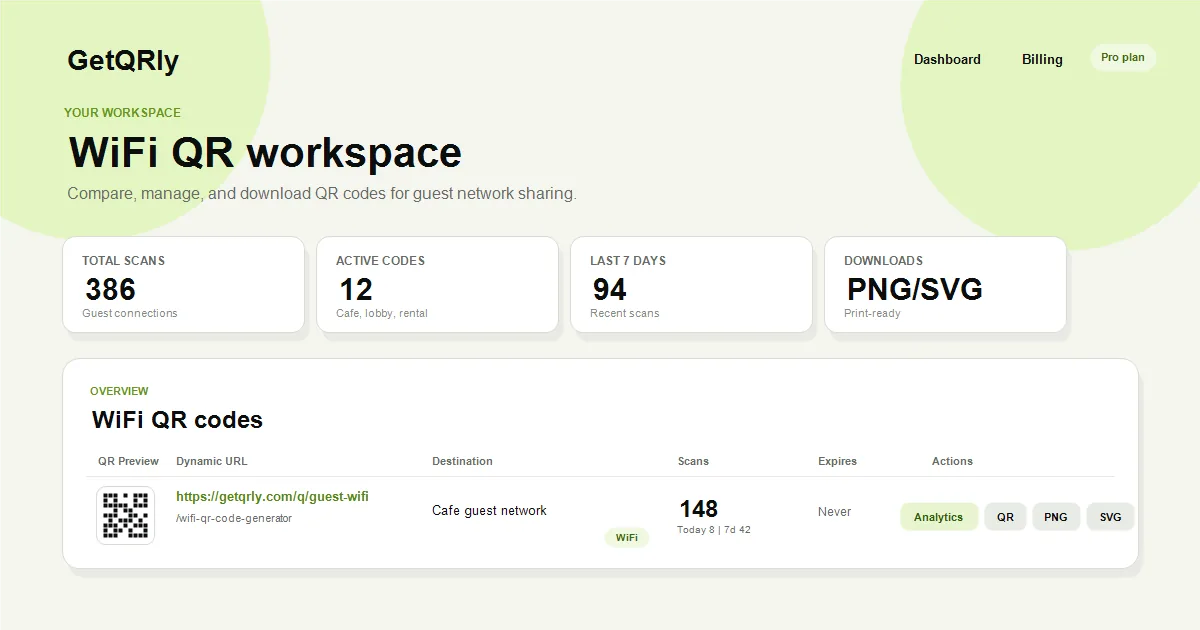
Create your WiFi QR code with GetQRly
Generate a scannable WiFi QR code, download PNG/SVG files, or create dynamic QR codes with scan tracking.
How to create a WiFi QR code
Open the GetQRly WiFi QR code generator, enter the network name exactly, choose the security type, add the password, and generate the QR code. Test with a phone that is not already connected, then download PNG or SVG.
For a deeper walkthrough, read how to create a WiFi QR code. You can also start with the general QR code generator when you need a normal website QR code instead of a WiFi network code.

Design and security tips
Use a dedicated guest network, not the private network that protects business devices, payment equipment, staff computers, or storage systems. Review QR code security best practices if the code will appear in public or semi-public places.
Print the code large enough for the scanning distance and preserve a clean quiet zone around the pattern. The QR code size guide can help when you are preparing cafe cards, hotel signs, office notices, or event welcome boards.
Avoid glossy glare, low contrast, curved surfaces, and tiny corner placement. Show the network name near the code so guests know what they are joining, and replace every old sign when the password changes.

Rate it after reading so we can keep improving GetQRly guides.