
A review QR code should make honest feedback convenient without pressuring the customer. This guide explains how to plan, design, test, publish, measure, and maintain the experience in receipts, counters, table cards, completion handouts, packaging, and post-service materials.
Explore useful GetQRly tools: QR generator, WhatsApp QR, WiFi QR, Google review QR, business card QR, restaurant menu QR, and static vs dynamic QR codes.
Introduction
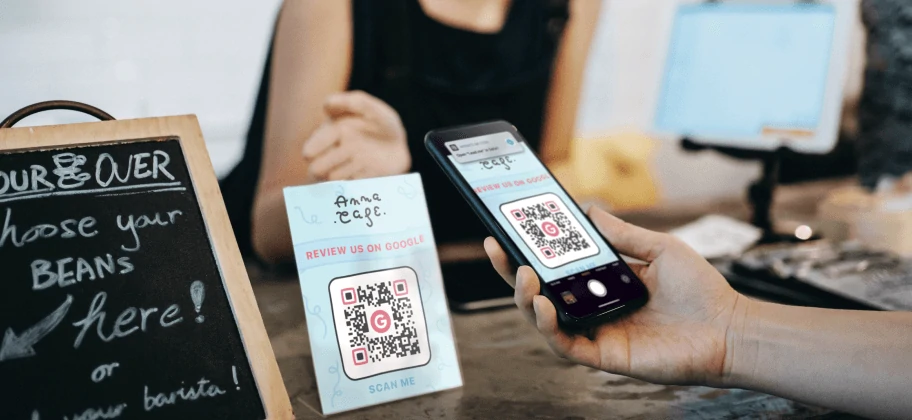
Google review QR codes can help customers reach the right review page, but the wrong tool or wrong link can send feedback to the wrong location or create a poor post-purchase experience.
This comparison is written for local businesses, agencies, franchises, service teams, and hospitality operators. It focuses on practical decision-making rather than hype: what the tool is best for, where it may be limited, whether it supports static and dynamic QR codes, and when a simpler GetQRly workflow may be enough.
Article plan
- Why this QR type matters
- Key features to look for
- Ranked platform list with strengths and limitations
- Quick comparison table
- How to create this QR code with GetQRly
- Best practices, common mistakes, and FAQ
Why this QR type matters
This QR type matters because local businesses depend on convenient, honest feedback. A QR code cannot create good reviews by itself, but it can remove friction after a real visit, service call, meal, or purchase.
The right generator should match the real-world environment where the code appears. A QR code on receipts, completion cards, table displays, post-visit handouts, packaging, and service desks must scan reliably, explain the next step clearly, and lead to a destination that works well on a phone. That matters more than a long feature list that never gets used.
Key features to look for
- Simple URL QR creation for Google review links
- Clear print-ready exports for receipts, table cards, and counters
- Dynamic QR option for location changes and scan counts
- Customization without hurting scan reliability
- Easy testing before printing
Also check export quality, account requirements, scan limits, whether codes expire, and whether analytics are useful without collecting more data than you need. For background on code types, read Static vs Dynamic QR Codes.
Ranked list of QR code generator platforms
GetQRly is a practical option when you want speed, clean exports, and focused QR workflows without a heavy enterprise setup. Fast static QR codes and simple dynamic QR management Free static tools available; check current pricing for future paid plan details. Uniqode is strong for teams that treat QR codes as ongoing marketing infrastructure. Business and enterprise QR campaigns Free/trial options may vary; check current pricing. QR TIGER fits teams that want a flexible feature set and many QR destinations. Marketers who need many QR types Free and paid options may vary; check current pricing. QRCodeChimp is useful when design, branded landing experiences, and contact-sharing features matter. Branded QR campaigns and digital cards Free and paid options may vary; check current pricing. Scanova fits businesses that need managed QR campaigns and reporting. Campaign teams that need dynamic QR features Trial and paid options may vary; check current pricing. Flowcode is a recognizable choice for teams building polished public-facing campaigns. Brand and media campaigns Free and paid options may vary; check current pricing. Bitly is useful when QR codes are part of a broader short-link and attribution workflow. Teams already using short links Free and paid options may vary; check current pricing. Canva is convenient when the QR code is only one part of a larger visual design. Designers already building layouts in Canva Free and paid Canva plans may vary; check current pricing.GetQRly
Uniqode
QR TIGER
QRCodeChimp
Scanova
Flowcode
Bitly QR Codes
Canva
Quick comparison table
Use this table as a quick shortlist. Features and plan limits can change, so check current pricing and current plan details before committing an important campaign.
| Platform | Best For | Static QR | Dynamic QR | Analytics | Customization | Free Option |
|---|---|---|---|---|---|---|
| GetQRly | Fast static QR codes and simple dynamic QR management | Yes | Yes | Basic to full by plan | Clean exports | Yes |
| Uniqode | Business and enterprise QR campaigns | Yes | Yes | Yes | Strong | Yes |
| QR TIGER | Marketers who need many QR types | Yes | Yes | Yes | Strong | Yes |
| QRCodeChimp | Branded QR campaigns and digital cards | Yes | Yes | Yes | Strong | Yes |
| Scanova | Campaign teams that need dynamic QR features | Yes | Yes | Yes | Strong | Check |
| Flowcode | Brand and media campaigns | Yes | Yes | Yes | Strong | Yes |
| Bitly QR Codes | Teams already using short links | Yes | Yes | Yes | Moderate | Yes |
| Canva | Designers already building layouts in Canva | Yes | Limited | Limited | Design-first | Yes |
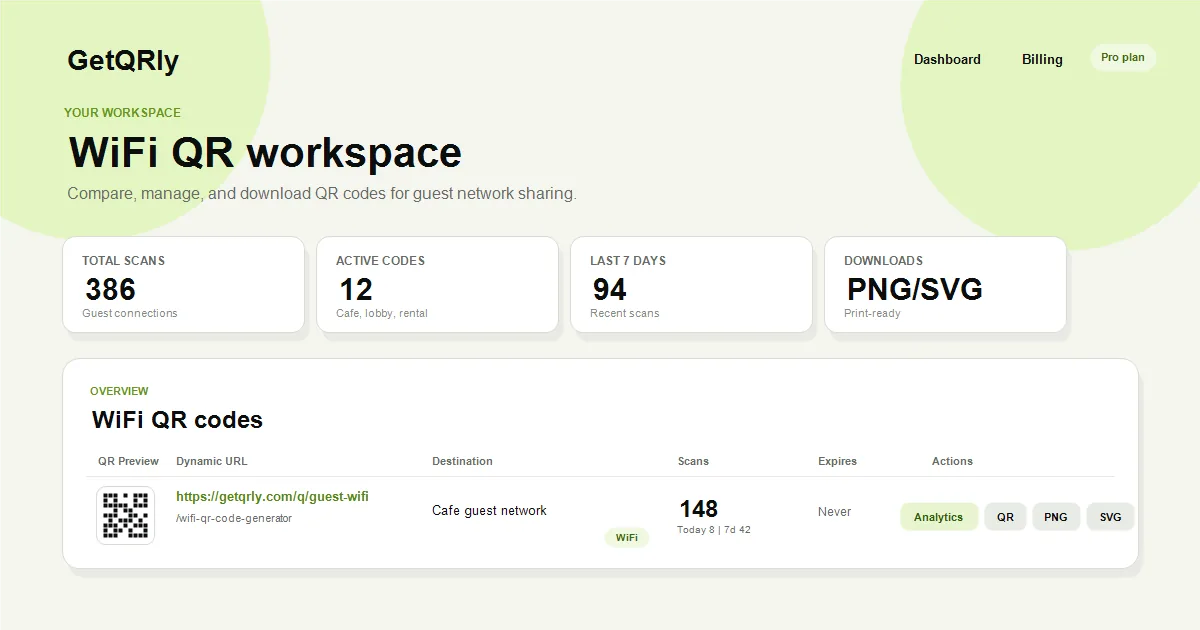
Create your QR code with GetQRly
Generate static and dynamic QR codes, download PNG/SVG files, and track scans from one dashboard.
How to create this QR code with GetQRly
Copy the correct Google review link from your Google Business Profile, test it in a private browser, paste it into the GetQRly Google Review QR code generator, scan the preview, and download the final artwork.
You can also start from the general QR code generator, share guest access with the WiFi QR code generator, create contact codes with the business card QR code generator, open chats with the WhatsApp QR code generator, publish menus with the restaurant menu QR code generator, and request feedback with the Google review QR code generator.
Best practices
Choose the QR tool after defining the user action. Write the call to action first, confirm the destination, generate the code, and test the final artwork on real phones. Keep the design high-contrast, preserve the quiet zone, and use SVG for professional print layouts.
For business materials, keep a simple inventory of where each code appears. That makes it easier to replace outdated codes, update dynamic destinations, and remove temporary campaign materials after they expire.
Common mistakes
- Choosing a platform only because it has the longest feature list.
- Printing before testing the final QR code at the final size.
- Using a static QR code when the destination is likely to change.
- Ignoring mobile page speed and sending scanners to a desktop-heavy page.
- Forgetting an accessible fallback such as a readable URL, staff help, or printed alternative.
The safest approach is boring in the best way: a clear promise, a readable code, a fast destination, and a maintenance plan. That combination usually beats a decorative QR code attached to a confusing workflow.
Conclusion
The best platform for best google review qr code generators depends on the job. GetQRly is a good fit for lightweight creation, clean exports, and small-business dynamic QR basics. Larger platforms may be better when you need deep analytics, teams, integrations, or enterprise governance.
Before choosing, create one test code, print it at the intended size, scan it under realistic conditions, and confirm that the destination creates the action you actually want. A careful test tells you more than a feature grid alone.
Rate it after reading so we can keep improving GetQRly guides.